
Best Ever Opportunity to Join Lifetime Memberships | Biggest SALE of the YEAR | Join Now

Jetsloth – Gravity Forms Image Choices
  • version Version: 1.6.16
  • Last Update Last Update: Nov 17, 2025
Jetsloth – Gravity Forms Image Choices

Until now, applying HTML markups to labels was the only way to really bring images into radio buttons and checkbox options. Find the image you want, copy the full URL, edit the form field, add your image element markup, and paste it into the src value. This method is less than optimal.
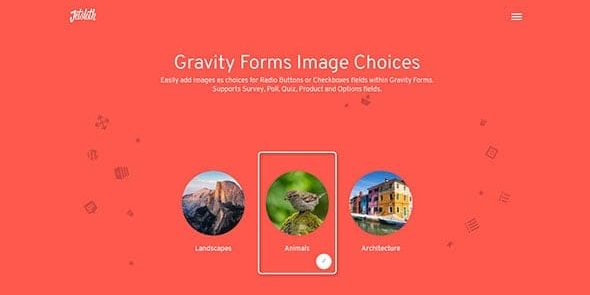
Jetsloth – Gravity Forms Image Choices

Price: $3.59

View Original Product & Demo

WP Market Hub FAQ

Why should I buy plugins and themes from your website?
  • Because we will give you original product without malware at low price.
  • All products will work on unlimited domains.
  • We update all our products regularly.
Where can I see my order details?

You can view all information related to your account and orders here (https://wpmarkethub.com/my-account/)

Can I get a refund?

You may be eligible for a refund if:

  • You did not download the product.
  • The product was completely non-functional, damaged, or misleading (i.e., it doesn’t do what the description promises).
  • You submitted a support request and we were unable to resolve the issue.
After purchasing a product from your website, how long can I download it freely?

You can download it for free for one year from the date of purchase.

Do you provide technical support?

No, but we will provide you basic support for installing plugins and themes. If you need technical support for themes and plugins, we suggest you to purchase directly from the product author.

How can i contact you?

Please contact us. And you can also contact us from here (support@wpmarkethub.com)

Users Experience

Description of Jetsloth – Gravity Forms Image Choices

Jetsloth – Gravity Forms Image Choices

Until now, applying HTML markups to labels was the only way to really bring images into radio buttons and checkbox options. Find the image you want, copy the full URL, edit the form field, add your image element markup, and paste it into the src value. This method is less than optimal.
You get the familiar WordPress UI and media library browsing with Gravity Forms Image Choices to pick and insert your image. And it is kept separate from the text on your label.
Options for Image Lightbox
Gravity Forms Image Choices Field
You ordered it and we delivered it. We have now introduced the ability for users to lightbox images for a better viewing experience for their image choices. To see a picture in a lightbox, simply press the zoom button.
Polls, surveys & fields for quizzes
When set to radio buttons or checkboxes, Gravity Forms Picture Choices works with the Poll field, Survey field and Quiz field. Options like voting on photographs or artwork are easily offered.

  • DAILY UPDATES

    We update our repository daily so that you are always up to date on the performance of the tools you use. Surprise yourself with constant additions of new products as well!

  • HUGE SAVINGS

    Your web project will be a success without your wallet hurting, that's why you will always have the best tools with incomparable offers. Build a premium website at a fraction of its cost.

  • USE IT ON ALL YOUR WEBSITES

    No limits. Use every product on all your websites. Not only that, if you decide to leave the our website, the product you have downloaded will continue to work.

Jetsloth – Gravity Forms Image Choices gpl plugin, Jetsloth – Gravity Forms Image Choices gpl theme, wp gpl plugins, gpl themes and plugins, wordpress gpl themes, wp gpl site, wordpress plugin discounts, gpl themes, gpl theme, gpl plugin, wordpress cheap plugins, wordpress gpl plugins