Best Ever Opportunity to Join Lifetime Memberships | Biggest SALE of the YEAR | Join Now

Products Scheduler / Restrict Access
  • version Version: 5.5
  • Last Update Last Update: Jun 5, 2024
Products Scheduler / Restrict Access

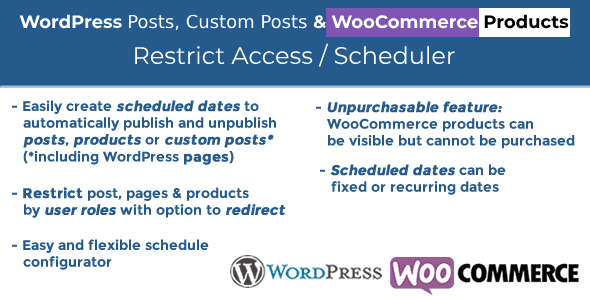
The plugin WordPress Posts & WooCommerce Products Limit Access / Scheduler (WPPS) is a powerful tool by which the website admin can schedule or restrict access to posts, custom posts (such as wordpress sites, bbpress posts or any other custom 3rd party posts) and visibility of the product through “date rules” and user roles.
Products Scheduler / Restrict Access

Price: $3.59

View Original Product & Demo

WP Market Hub FAQ

Why should I buy plugins and themes from your website?
  • Because we will give you original product without malware at low price.
  • All products will work on unlimited domains.
  • We update all our products regularly.
Where can I see my order details?

You can view all information related to your account and orders here (https://wpmarkethub.com/my-account/)

Can I get a refund?

You may be eligible for a refund if:

  • You did not download the product.
  • The product was completely non-functional, damaged, or misleading (i.e., it doesn’t do what the description promises).
  • You submitted a support request and we were unable to resolve the issue.
After purchasing a product from your website, how long can I download it freely?

You can download it for free for one year from the date of purchase.

Do you provide technical support?

No, but we will provide you basic support for installing plugins and themes. If you need technical support for themes and plugins, we suggest you to purchase directly from the product author.

How can i contact you?

Please contact us. And you can also contact us from here (support@wpmarkethub.com)

Users Experience

Description of Products Scheduler / Restrict Access

Products Scheduler / Restrict Access

The plugin WordPress Posts & WooCommerce Products Limit Access / Scheduler (WPPS) is a powerful tool by which the website admin can schedule or restrict access to posts, custom posts (such as wordpress sites, bbpress posts or any other custom 3rd party posts) and visibility of the product through “date rules” and user roles. You can also configure WooCommerce items as “Unpurchasable” (visible but cannot be added to cart).
How It’s Working
When enabled and triggered, it’s very simple for the site administrator to find a new “Scheduler” voice menu on the main menu to access the Scheduling Rules configurator. The shop admin can set scheduling rules for automatically publishing/unpublishing posts, custom posts (such as wordpress pages, bbpress posts or any other custom 3rd party posts) and items through this menu. He may also clearly prevent user roles from accessing accounts. You can also choose to redirect to a page if you limit posts/pages by user position.
NOTE: You only need to pick at least one role in the user role selection section to limit access to unlogged users.
SET Product as Unpurchasable
Function not compatible with Price Calculator for Calculation
The special Unpurchasable option can be used by shop managers for WooCommerce products. To allow this and set the visibility of https to Visible, the selected product will be visible, but due to the removal of the “add to cart” button, customers (or those belonging to the roles selected in the roles restriction choice area) may not be added to the cart.
The shop admin may choose whether the product has to be set as Purchasable or Unpublished after and before the Unpurchasable duration.
Two distinct messages on product and shop pages can also be optionally displayed during the Unpurchasable era.
Note: Make sure that the theme you are using is using the woocommerce-after-single-product, woocommerce-loop-add-to-cart-link and woocommerce-single-product-summary behavior in the shop and single product page correctly (as do the woocommerce referee templates) otherwise the plugin will not hook properly to the theme to remove the add to cart button. Every well-designed theme uses these acts correctly.
Note: The unpurchasable function won’t work if the WooCommerce Availability Scheduler plugin is enabled.
RULESS OF SCHEDULING/RESTRICT ACCESS
The site admin may assign multiple scheduling rules to a collection of posts/products (directly selecting them or a set of categories). The following alternative applies to each scheduling rule:
Name of Rule/id
Form of Object (WordPress post or WooCommerce product)
Selection of item (s)
Option of category(es)
Assignment strategy (it is possible to assign the rule to the selected items/categories or to all but the selected items)
Categories “Children” (if a category was selected, that rule can be assigned also to its children)
Dates for Scheduling (for every scheduled time period is also possible restrict visibility by user roles)
DATES SCHEDULING
The Site Administrator will establish different scheduling dates for each scheduling rule (setting day(s), month(s), period, …) for each of which different httpses (published or unpublished) can be allocated. Two examples of what can be achieved are available here:
EXAMPLE 1 ANSWER 1 (WOOCOMMERCE PRODUCTS)
The shop administrator would like to make a product(s) released only from 09:00 to 18:00 and unpublished in the remaining hours and on 25 December, every day of the year.
The rules for scheduling will be designed as follows:
Construct and assign a name/id to a new rule
“Select type of item “WooCommerce product
Item(s) and/or category collection (ies)
Establish a new rule for a date where:
Published https:
Roles of the User: Leave unselected
Form of start date: Day of the Week
Days of the week: Pick all dates of the week:
Months: Pick all
Hour: 9 o’clock
Minute: 0 Up to 0
Invert https item(s) during the unmatched period of time: yes
Hour of the end: 17
The Last Minute: 59
Establish a new rule for a date where:
https: Unpublished, unpublished
Roles of the User: Leave unselected
Form of starting date: Day of the month
Days of the month: Pick 25 Days of the month
Months: Pick ‘December’
Hour: 9 o’clock
Minute: 0 Up to 0

  • DAILY UPDATES

    We update our repository daily so that you are always up to date on the performance of the tools you use. Surprise yourself with constant additions of new products as well!

  • HUGE SAVINGS

    Your web project will be a success without your wallet hurting, that's why you will always have the best tools with incomparable offers. Build a premium website at a fraction of its cost.

  • USE IT ON ALL YOUR WEBSITES

    No limits. Use every product on all your websites. Not only that, if you decide to leave the our website, the product you have downloaded will continue to work.

Products Scheduler / Restrict Access gpl plugin, Products Scheduler / Restrict Access gpl theme, wp gpl plugins, gpl themes and plugins, wordpress gpl themes, wp gpl site, wordpress plugin discounts, gpl themes, gpl theme, gpl plugin, wordpress cheap plugins, wordpress gpl plugins