
 Version: 12.6
  Last Update: Jan 8, 2026
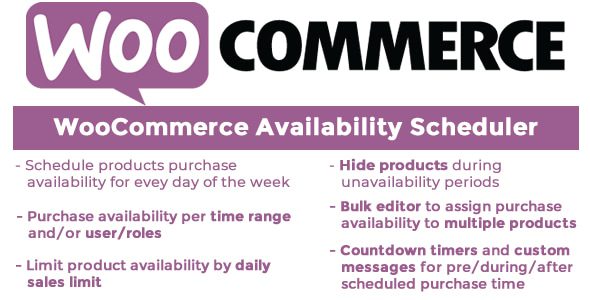
 You can handle the availability of all your woocommerce goods with this plugin, scheduling it during the day of the week
When your items are ready for purchase, you will have the versatility to select the date and time range, automatically hiding/showing the “add to cart button” on store, category and product pages, showing a countdown timer.
 Version: 12.6 Last Update: Jan 8, 2026
 You can handle the availability of all your woocommerce goods with this plugin, scheduling it during the day of the week
When your items are ready for purchase, you will have the versatility to select the date and time range, automatically hiding/showing the “add to cart button” on store, category and product pages, showing a countdown timer.
WooCommerce Availability Scheduler —
You can handle the availability of all your woocommerce goods with this plugin, scheduling it during the day of the week
When your items are ready for purchase, you will have the versatility to select the date and time range, automatically hiding/showing the “add to cart button” on store, category and product pages, showing a countdown timer.
The product will still be present in your WooCommerce store before the start date after allowing Schedule Availability status for any product, but a visitor will not be able to purchase it, so there will be no “Add-to-Cart” button. A custom message can be shown to the visitor,
TIMERS FOR COUNTDOWN
The Woocommerce Product Availability Scheduler plugin allows you to show countdown timers that let your customers know how much time is missing to start buying time, to the end of the purchase time or to the date and time of expiration.

DATE TIME EXPIRING
You may set an expiring date for each product in this plugin. The product will be automatically concealed and unavailable for purchase after this date. Optionally, you may also customize the product as visible.
WordPress Multisite is also installed (each network blog has its own maintenance settings).
We update our repository daily so that you are always up to date on the performance of the tools you use. Surprise yourself with constant additions of new products as well!
Your web project will be a success without your wallet hurting, that's why you will always have the best tools with incomparable offers. Build a premium website at a fraction of its cost.
No limits. Use every product on all your websites. Not only that, if you decide to leave the our website, the product you have downloaded will continue to work.
WooCommerce Availability Scheduler gpl plugin, WooCommerce Availability Scheduler gpl theme, wp gpl plugins, gpl themes and plugins, wordpress gpl themes, wp gpl site, wordpress plugin discounts, gpl themes, gpl theme, gpl plugin, wordpress cheap plugins, wordpress gpl plugins