
 Version: 3.2.12
  Last Update: Jun 15, 2025
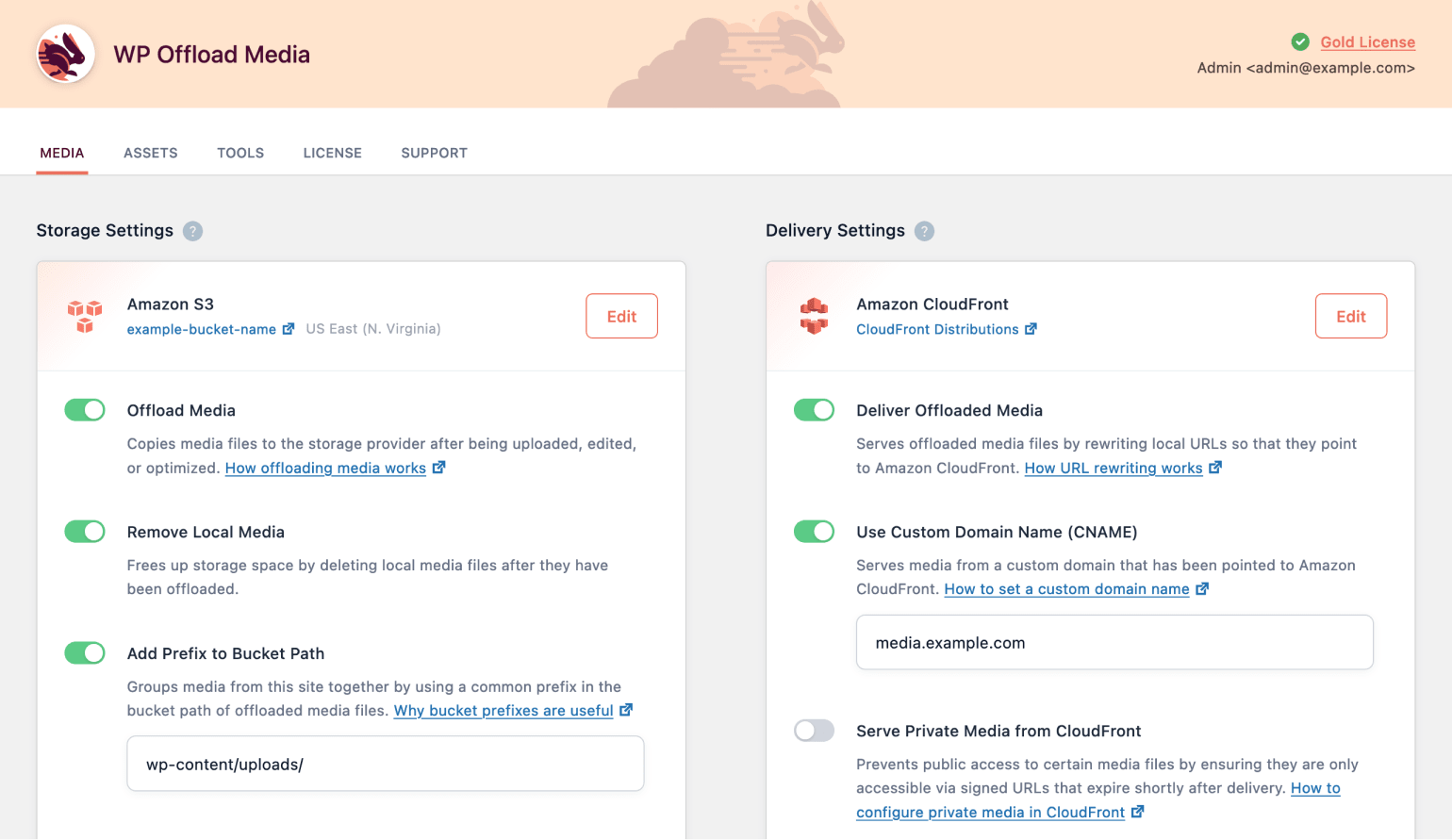
 WP Offload™ Media copies files from your WordPress Media Library to Amazon S3, DigitalOcean Spaces, or Google Cloud Storage and rewrites URLs to serve the files from that same storage provider, or from Amazon CloudFront or another CDN. And with the Assets addon, WP Offload Media can identify assets (CSS, JS, images, etc) used by your site and serve them from your preferred CDN.
 Version: 3.2.12 Last Update: Jun 15, 2025
 WP Offload™ Media copies files from your WordPress Media Library to Amazon S3, DigitalOcean Spaces, or Google Cloud Storage and rewrites URLs to serve the files from that same storage provider, or from Amazon CloudFront or another CDN. And with the Assets addon, WP Offload Media can identify assets (CSS, JS, images, etc) used by your site and serve them from your preferred CDN.
WP Offload Media Pro Plugin —
WP Offload™ Media copies files from your WordPress Media Library to Amazon S3, DigitalOcean Spaces, or Google Cloud Storage and rewrites URLs to serve the files from that same storage provider, or from Amazon CloudFront or another CDN. And with the Assets addon, WP Offload Media can identify assets (CSS, JS, images, etc) used by your site and serve them from your preferred CDN.
Start offloading your existing Media Library and WP Offload Media will offload those files in the background. You can close the browser tab and forget about it, or you can keep the tab open and monitor progress from WP Offload Media’s settings page. You can even pause and resume.
We’ve sprinkled controls throughout the Media Library making WordPress feel like it has native support for Amazon S3, DigitalOcean Spaces, and Google Cloud Storage. You can bulk select files and choose to copy them to cloud storage, remove them from cloud storage, or copy them back to the server from cloud storage. Or you can view a single file, review its cloud storage details, copy it to/from cloud storage, and remove it from cloud storage. You can even toggle public/private access without ever leaving the Media Library.
Selling digital goods via WooCommerce or Easy Digital Downloads? Or maybe you have a membership site and need to protect members-only videos and other content? WP Offload Media allows you to set up Amazon CloudFront to serve some files in your bucket to the public while other files are protected and only served to signed-in users.
WP Offload Media can reduce usage of server storage space by removing media files once they’ve been offloaded to Amazon S3, DigitalOcean Spaces, or Google Cloud Storage. We also have a tool to quietly remove all offloaded media files from the server in the background to free up storage space.
Removed all the offloaded media files from your server? WP Offload Media can effortlessly download your offloaded media from Amazon S3, DigitalOcean Spaces, or Google Cloud Storage with the click of a button. No scripts or command line needed.
Need to copy your offloaded media to a new bucket on the same cloud storage provider? Maybe you’re moving from a staging bucket to a production bucket? WP Offload Media can easily copy your media from one bucket to another within the same cloud storage provider. Files are copied quietly in the background.
If you change the Path, Year/Month, or Object Versioning storage settings, you will be asked if you would like to move existing files to the new path. Choosing “No” will leave existing media where they are and only newly uploaded media will use the new path.
Already have your site’s media in the cloud? Maybe you’re moving your site away from WP Engine but want to keep your LargeFS Amazon S3 bucket? Simply configure WP Offload Media with your bucket and storage path and run the metadata tool to link up your WordPress media library items with your media files already in the cloud.
Included with the Gold license and better
With the Assets Pull addon you can start serving your site’s assets (CSS, JS, fonts, etc) from Amazon CloudFront or another CDN in just a few clicks. The addon contains a setup wizard which will walk you through the process of creating a proper CloudFront distribution for serving your assets using your own domain name.
We update our repository daily so that you are always up to date on the performance of the tools you use. Surprise yourself with constant additions of new products as well!
Your web project will be a success without your wallet hurting, that's why you will always have the best tools with incomparable offers. Build a premium website at a fraction of its cost.
No limits. Use every product on all your websites. Not only that, if you decide to leave the our website, the product you have downloaded will continue to work.
WP Offload Media Pro Plugin gpl plugin, WP Offload Media Pro Plugin gpl theme, wp gpl plugins, gpl themes and plugins, wordpress gpl themes, wp gpl site, wordpress plugin discounts, gpl themes, gpl theme, gpl plugin, wordpress cheap plugins, wordpress gpl plugins