
 Version: 9.2.0
  Last Update: Dec 1, 2024
 WPSyncSheets For WooCommerce (formally WooSheets) plugin sync with your website’s WooCommerce Orders to Google Spreadsheet and manage your orders easily into single Google Spreadsheet.
 Version: 9.2.0 Last Update: Dec 1, 2024
 WPSyncSheets For WooCommerce (formally WooSheets) plugin sync with your website’s WooCommerce Orders to Google Spreadsheet and manage your orders easily into single Google Spreadsheet.
WPSyncSheets For WooCommerce —
WPSyncSheets For WooCommerce (formally WooSheets) plugin sync with your website’s WooCommerce Orders to Google Spreadsheet and manage your orders easily into single Google Spreadsheet.
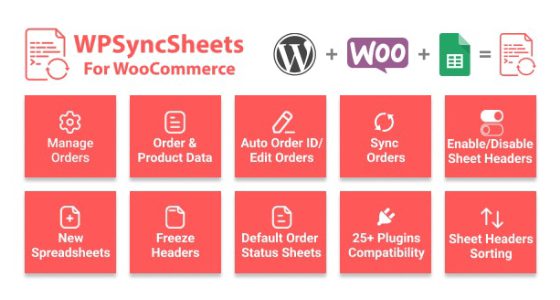
Manage Orders – It can easily manage all the orders with one Google Spreadsheet to make your Business effective. Google Spreadsheet can manage your Inventory Orders.
New Speadsheets & Sheets – Once user will select the create new Spreadsheet with name option, it will auto create the new spreadsheet and sheets based on the orders status in settings page.
Order Status Sheets – It Automatically create the standard WooCommerce order status sheets. It will save new orders in Google Spreadsheet based on the order status.
Order Wise Row Data – There are new option called Order Wise row data. User can easily manage the orders as per the order row data within the sheet.
Freeze Header – User can easily freeze header row (first row) of sheet with setting page option.
Auto Order ID / Edit Orders – User can easily edit orders from admin side that will be automaitcally effected within the google spreadsheets. It can easily update and set based on order id of all the orders.
Multi Languages – This plugin supports multi languages namely French, German and Chinese.
Synchronization Orders – “Click to Sync” will automatically sync all existing orders as per the orders status sheets. It can also work with existing orders in WooCommerce.
All in one Sheet – By enable All in one option you can enable all sheets of the google spreadsheet. All the customer order status sheet will automatically create one sheet in spreadsheet.
Product Wise Row Data – There are new option called Product Wise row data. User can easily manage the orders as per the product row data within the sheet.
Enable / Disable Sheet Headers – It will set the sheet headers row as per the user defined in settings page. User can easily enable / disable sheet headers in setting page option.
Sheet Headers Sorting – It will sort the sheet headers row as per the user defined in settings page.
Products Name as Sheet Headers – Users can create columns in spreadsheet with value as product quantity and Append after dropdown will add inbetween all the product names as per your dropdown selection in spreadsheet.
Allow To Copy Same Columns – Users are allowed to copy same columns into the rows i.e. Billing First Name, Billing Last Name etc.
Custom Static Headers – User can statically add header name. On clicking ADD, it will automatically generate header within the Google spreadsheets.
Export Orders – Export all orders of specific product categories within new spreadsheet. Export with all orders or specific date range orders within new spreadsheet.
We update our repository daily so that you are always up to date on the performance of the tools you use. Surprise yourself with constant additions of new products as well!
Your web project will be a success without your wallet hurting, that's why you will always have the best tools with incomparable offers. Build a premium website at a fraction of its cost.
No limits. Use every product on all your websites. Not only that, if you decide to leave the our website, the product you have downloaded will continue to work.
WPSyncSheets For WooCommerce gpl plugin, WPSyncSheets For WooCommerce gpl theme, wp gpl plugins, gpl themes and plugins, wordpress gpl themes, wp gpl site, wordpress plugin discounts, gpl themes, gpl theme, gpl plugin, wordpress cheap plugins, wordpress gpl plugins